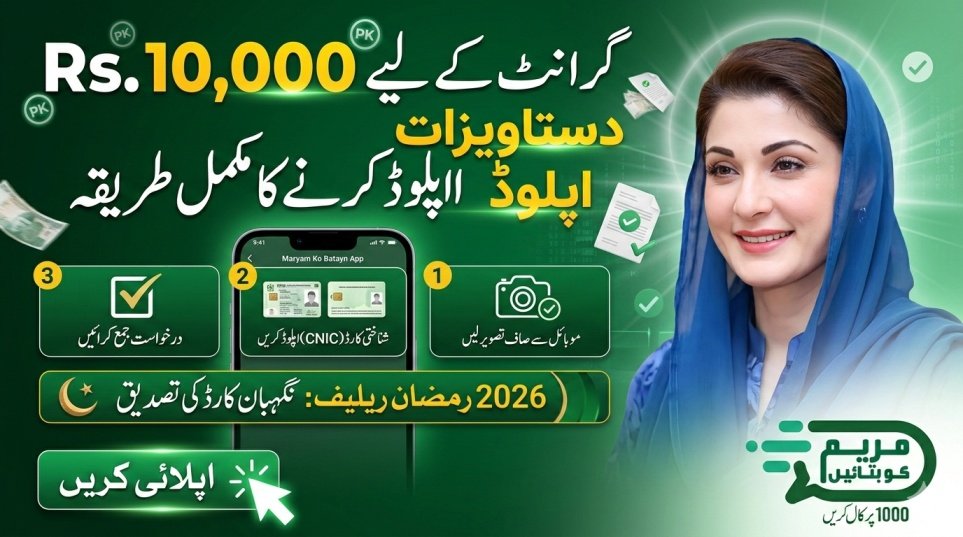
In 2026, the Punjab Government has made document verification mandatory for the Rs. 10,000 Ramadan aid and other welfare services. The Maryam Ko Batayn App allows citizens to submit digital proof of identity and financial documents to ensure that the Punjab Relief Package reaches the truly deserving families. Submitting blurry or incorrect documents may result in delays or rejection by the mkb.punjab.gov.pk system, affecting your financial assistance approval.

Required Documents for Verification
For successful application verification in the Maryam Ko Batayn program, you must upload the following documents:
| Document Type | Verification Purpose |
|---|---|
| CNIC (Front & Back) | Primary Identity Verification (NADRA) |
| Electricity/Gas Bill | Proof of Punjab Residency |
| Income Certificate | Financial Eligibility Check |
| Medical Reports | For Emergency Medical Aid Requests |
| Disability Certificate | For Assistive Devices (Wheelchairs, etc.) |
| Nikah Nama | For Marriage Grant Applications |
| Student ID / Result Card | For Educational Stipends |
| B-Form | For Household Member Verification |
Uploading clear and valid documents improves your chances of quick approval for cash aid, medical assistance, and welfare schemes.

Importance of Document Verification on mkb.punjab.gov.pk
Document verification is the cornerstone of the Maryam Ko Batayn program. All uploaded files are cross-checked with the Punjab Socio-Economic Registry (PSER) and NADRA databases to ensure transparent and corruption-free distribution of the Rs. 10,000 grant. Incomplete or unclear uploads are the leading cause of application rejection in 2026, so accuracy and clarity are critical for fast processing.
How to Upload Documents on Maryam Ko Batayn App
To complete your financial aid application on the Maryam Ko Batayn App, follow these steps carefully:
- Access the Upload Section: Log in and select your service, then scroll to the bottom of the form.
- Take a Clear Photo: Use the in-app camera to capture a live CNIC photo; avoid photocopies.
- Check Image Clarity: Make sure there is no glare, shadow, or blur, and that all text, including your CNIC number, is readable.
- File Format: Upload in JPG, PNG, or PDF format, keeping file size under 5MB.
- Save and Submit: Preview the image and click Submit to send it for digital verification.

Step-by-Step Document Submission Process
Once you have installed the Maryam Ko Batayn App, follow this step-by-step process for successful document upload:
- Open the Maryam Ko Batayn (1000) app on your Android device.
- Log in using your credentials.
- Tap New Request and select your required service (Ration, Cash, or Medical Assistance).
- Fill in your personal details and current address accurately.
- Click Attach Documents at the end of the application form.
- Upload the front and back of your CNIC separately.
- Click Submit Application and note your tracking ID.
Key Features for 2026 Verification
The 2026 Maryam Ko Batayn App includes advanced features for fast, secure document verification:
- Auto-Crop: Automatically crops CNIC photos to fit required dimensions.
- Real-Time Validation: Alerts users immediately if a document is blurry or unreadable.
- PSER Integration: Pre-verified users may need to upload only one document.
- Multi-File Upload: Allows up to 5 documents for complex requests like marriage grants.
- Secure Storage: All uploads are encrypted and stored securely on government servers managed by PITB.
Verification Response Times 2026
| Service Requested | Document Review Time | Final Status |
|---|---|---|
| Rs. 10,000 Cash | 24 Hours | SMS via 8070 |
| Medical Treatment | 12 Hours | Call from Health Dept |
| Ration Bag | 48 Hours | Doorstep Delivery |
| Assistive Devices | 4 Days | PSER Verification |
Submitting high-quality documents ensures faster processing and timely financial aid disbursement.
Common Upload Issues and How to Fix Them
Facing issues during document upload on mkb.punjab.gov.pk? Use these troubleshooting tips:
- File Too Large: Compress your photos or reduce camera resolution to keep file size under 5MB.
- Upload Failed: Retry during off-peak hours, preferably after 10 PM.
- Incomplete Data: Upload both front and back of your CNIC.
- Browser Issues: Use Google Chrome for smooth upload experience.
Benefits of Accurate Document Submission
Providing clear and valid documents guarantees multiple benefits:
- Priority Processing: Applications with high-quality scans are processed 3x faster.
- Zero Rejection Risk: Clear documents reduce delays during NADRA verification.
- Multi-Scheme Eligibility: Verified users may automatically qualify for Nigehban Card and other government subsidies.
Helpline and Contact Information
If you encounter technical difficulties while uploading documents, use these official channels:
- Toll-Free Helpline: Dial 1000.
- Official Website: mkb.punjab.gov.pk
- Technical Support Email: support@punjab.gov.pk
- SMS Verification: Send your CNIC to 8070 to check verification status.
Latest Updates 2026
As of February 27, 2026, the Punjab Government introduced a Manual Upload feature through the 1000 helpline. Citizens unable to use the app can call 1000, and a Dastak Representative will visit their home to scan and upload documents. The Rs. 10,000 aid is now linked to the Nigehban ATM Card, which requires a one-time biometric verification after portal approval.
Conclusion
Uploading your documents on the Maryam Ko Batayn App is critical for receiving your 2026 Ramadan relief. By following official mkb.punjab.gov.pk guidelines and submitting clear CNIC and supporting documents, you can ensure your Rs. 10,000 grant is processed quickly and securely. Complete your verification today to benefit from the Punjab Government’s digital welfare programs.
FAQS:
Q1: Can I upload a photo of my expired CNIC?
No, only valid CNICs are accepted. Expired documents are automatically rejected.
Q2: What if the app keeps crashing during upload?
Clear the app cache or use the web portal at mkb.punjab.gov.pk.
Q3: Do I need to upload an income certificate?
For Rs. 10,000 cash aid, CNIC is sufficient, but income certificates improve approval chances for larger grants or medical aid.
Q4: How do I know if my documents were accepted?
You will receive a notification in the Maryam Ko Batayn App or an SMS from 8070 confirming successful verification.
Latest Updates
 Fuel Subsidy for Motorcycles Sindh 2026 Eligibility via SMS
 Fuel Subsidy for Motorcycles Pakistan 2026 Eligibility via SMS
 Today Update: Kuwait Announces Monthly Allowance for Single Women – 2026 Social Welfare Update
 Today Update: Punjab Fake E‑Challan SMS Scam Alert 2026 — How to Protect Yourself Online
 Latest Update: How To Apply Online For Himmat Card 2026 – Complete & Updated Guide
 Latest Update: Step-by-Step Guide to Register a Complaint via Helpline 1000
 Latest Update: Punjab Class 9 Exam Date Sheet 2026 – Full Schedule Announced
 Latest Update: 8171 Web Portal Balance Check by CNIC 2026 – Complete Guide